

Rangebook
Log the range day. Rangebook remembers the rest.
Rangebook is a logbook for the firearms you own and the time you spend at the range, on iPhone, iPad and iPhone Duo. Logging a trip takes a few taps. After that, it keeps track of the things that are easy to forget: which firearm is due for a cleaning, which license or permit is coming up for renewal, and every round you’ve logged. No account, no sign up, and your records stay on your device and in its own backups.
For iPhone, iPad and both screens of iPhone Duo. Logging new range days needs a subscription, and new subscribers get the first month free.
Log it once, and it keeps track
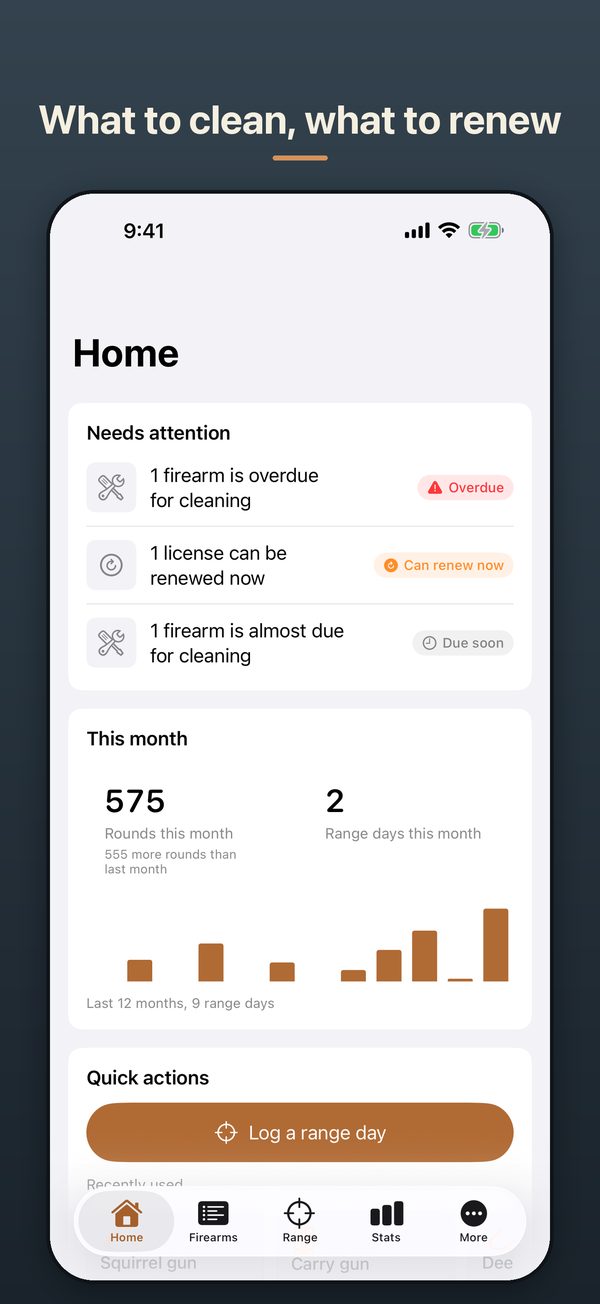
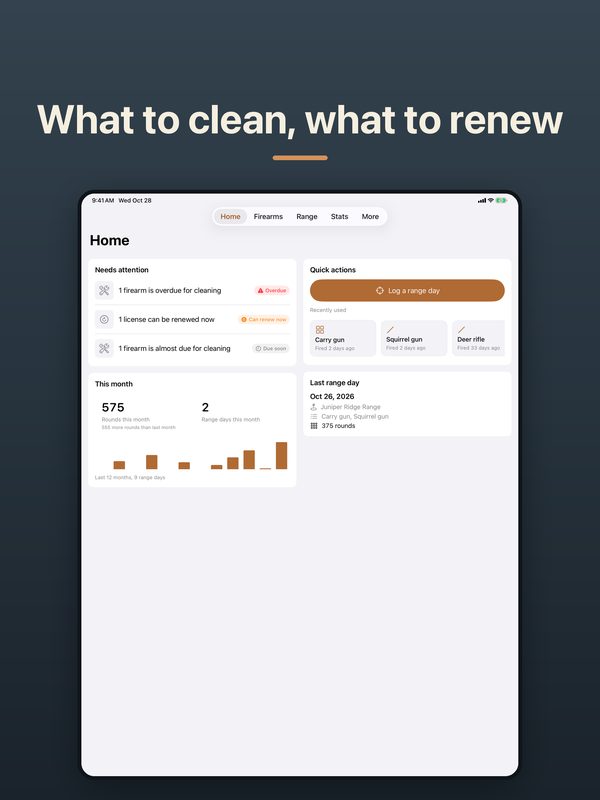
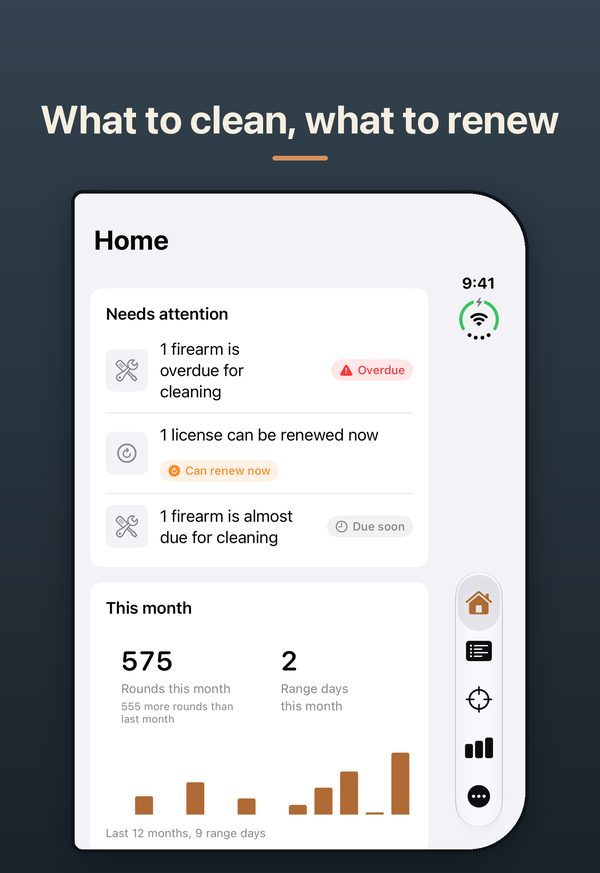
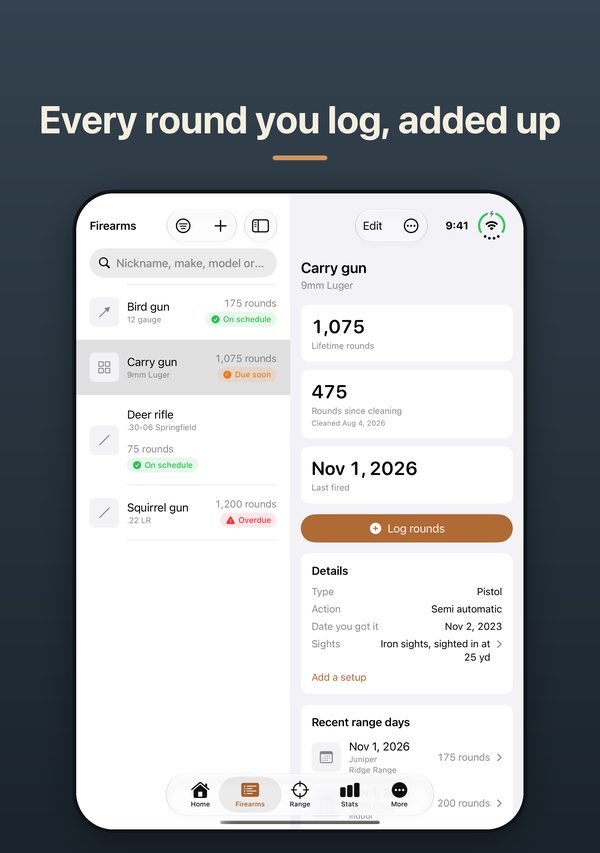
Every range day you log feeds the rest: the rounds on each firearm, when it is due for a cleaning, and your stats. Home shows what needs attention, like an overdue cleaning or a license you can renew now.
Log a range day in a few taps
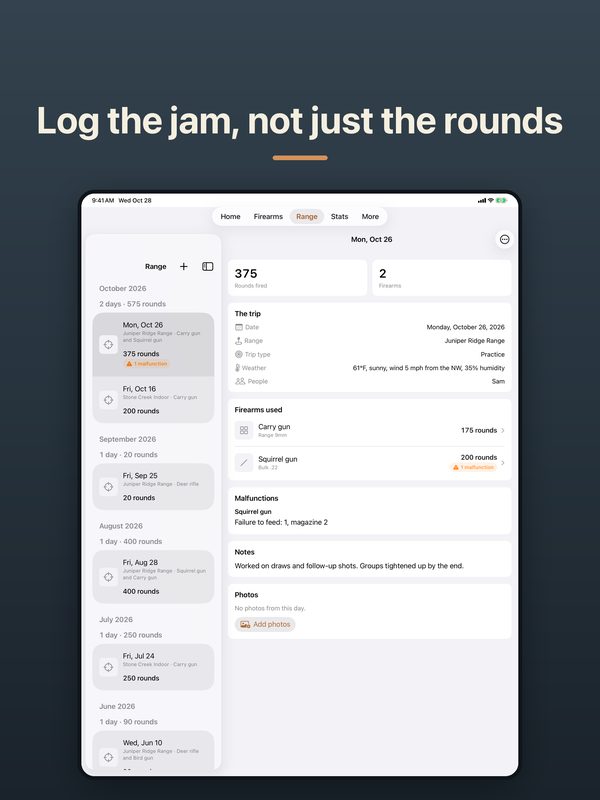
The date is already today and the range is the last one you used. Tap the firearms you brought and add rounds with +10 and +50, or +1 box once you pick an ammunition lot with a box size. Not sure of the number? Turn on Rough count. When the range is on the map, the weather fills itself in from Apple Weather. No signal? Logging still works, and you can type the weather in.
Round totals from your logs
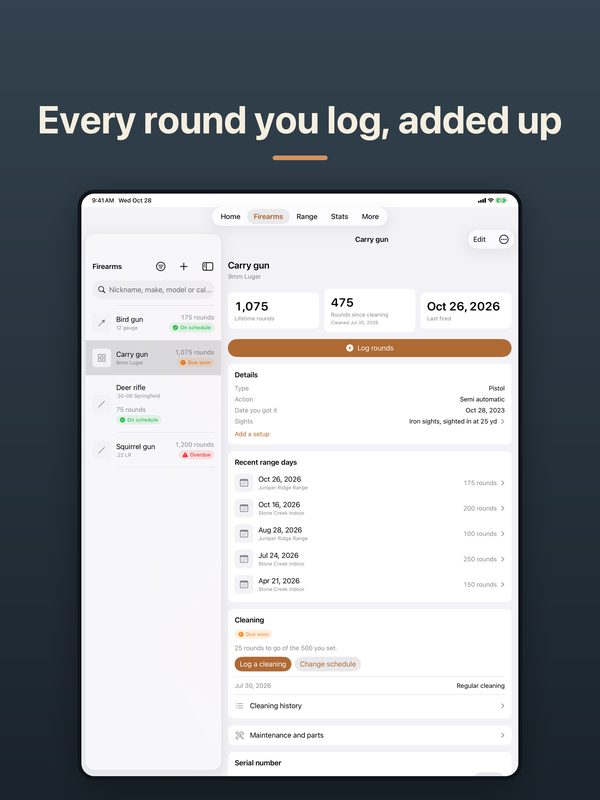
Each firearm keeps its lifetime rounds, rounds since the last cleaning and the last day it was fired, all added up from what you log. Rounds a used firearm had before you got it show separately.
Cleaning, parts and repairs
Clean every so many rounds, every so many days, or both, with a reminder at whichever comes first. Part reminders for things like a recoil spring, and a history of repairs, upgrades and re-zeroed sights.
Licenses and permits
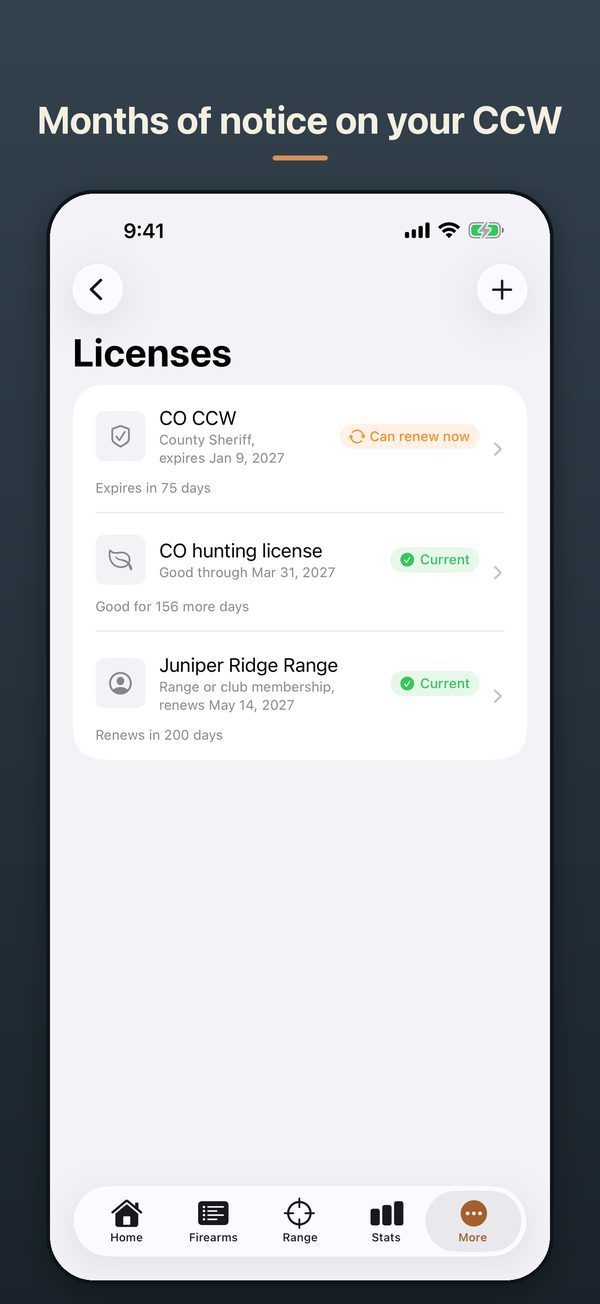
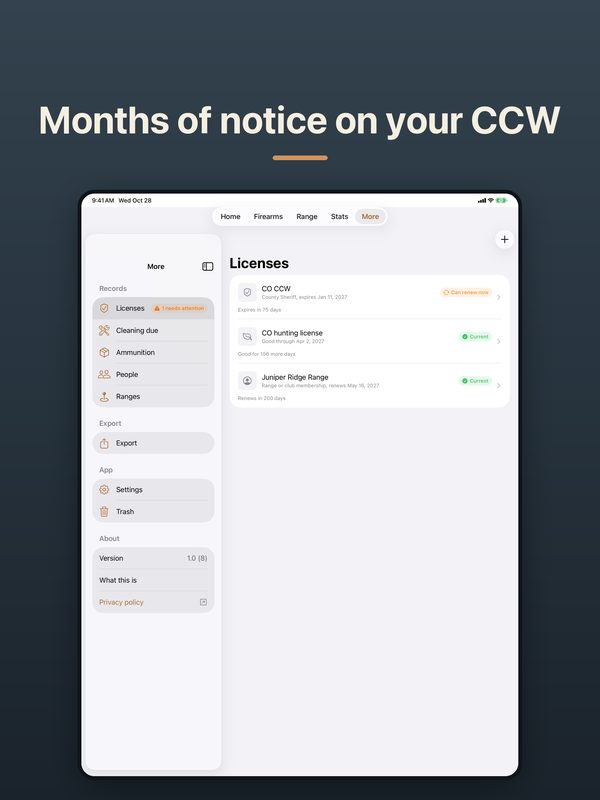
CCW permits, hunting licenses and tags, purchase permits, memberships, training classes, suppressor and SBR stamps, and C&R licenses. Reminders 90, 30, 7 and 1 days ahead or on days you pick, and another the day renewal opens. Card photos stay hidden until you show them.
Ammunition by lot
Keep each lot with its brand, bullet weight and lot number. See how many rounds are left: what you bought, plus any adjustment, minus what you logged with that lot. Each lot shows the firearms that fired it and the malfunctions logged with it.
Stats from your logs
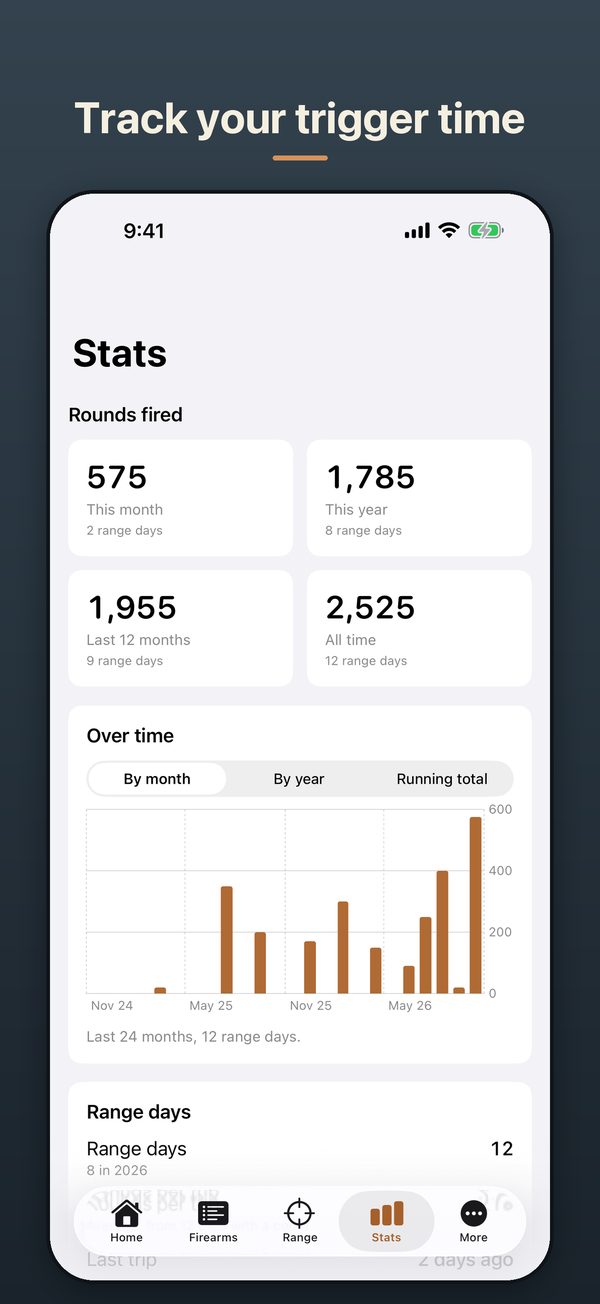
Rounds by month and by year, range days, time at the range, where the rounds went, and the places you go and the people you go with. Each firearm gets its own page of stats too.
Reports and export
Make a PDF for your insurer or your own files: one firearm, a range day, your collection (the insurance version gives each firearm a page with its photos), a year in review, your licenses or your cleaning. Export every record as spreadsheet files that open in Numbers or Excel. Serial and license numbers are left out unless you choose to include them.
Laid out for the device in your hand
On iPhone, Rangebook is five tabs along the bottom and one page at a time. On iPad the tabs sit at the top, and Firearms, Range and More show the list and the page side by side, so you can step from one firearm or range day to the next without going back. Home and Stats spread into two columns on most iPads, and on an iPad in landscape a firearm’s page does too. It turns any way you hold it. It also works in a window you can resize. On iPhone Duo, the outer screen works like an iPhone, with the tabs and buttons in the bar at the side. Open it, and the inner screen lays out like a small iPad.
Each device keeps its own records. There is no sync between an iPhone, an iPad and a Duo.
A look inside Rangebook
iPhone

iPad
iPhone Duo
For people who shoot, carry, hunt, or collect
Rangebook is a personal record of your own firearms. It keeps the dates in front of you, but it does not give legal advice, and the deadlines are yours to keep.
- Recreational shootersA range day in a few taps, and Stats from your logs.
- CCW permit holdersA reminder before the permit runs out, and on the day renewal opens.
- HuntersHunting licenses and tags with their dates, and trips marked Hunting.
- Competitive shootersMalfunctions by magazine and by ammunition lot, and setups with the distance and date each was sighted in.
- CollectorsStatus for sold, lent out, lost or stolen, and an insurance version of the collection report.
- New firearm ownersA cleaning schedule that tells you when it’s time.
No account. We never see your records.
The app has no account, no server, no ads, no tracking and no analytics. Your records stay on your device and in its own backups, like iCloud Backup if you have it on. The only outside services are Apple’s:
- Apple Weather gets a range’s spot on the map and the hour of the trip.
- Apple Maps gets what you type to find a range, and your spot only if you tap Use where I am now. It also draws the small map of the range.
- The App Store handles the subscription and the payment. We never see your payment details.
App lock with Face ID, Touch ID or your passcode is on from the start, and the app switcher shows a plain cover instead of your records. Serial numbers and card photos stay hidden until you ask to see them. Reminders can be discreet, saying something is due without naming the firearm or the license. Most deleted records stay in the Trash for 30 days.
The full Rangebook privacy policy says exactly what the app keeps and the little that ever leaves your device.
How the price works
Free to download. Logging new range days needs a subscription, monthly or yearly, and new subscribers get the first month free. Everything else stays free: firearms, licenses, cleaning, ammunition, Stats, reports and export. Every range day you’ve already logged stays yours to open, edit and export, even if your subscription ends.
A subscription renews automatically until you cancel, which you can do any time in your Apple Account settings. To avoid a charge, cancel at least a day before it renews or the free month ends. The App Store shows the price for your country.
Help and support
- Your subscription: More, Settings, then the Subscription section. Restore purchase is there if a subscription from your Apple Account doesn’t show up, and Manage subscription is there once you’re subscribed, to change plans or cancel. You can also cancel in your Apple Account settings.
- Moving to a new iPhone or a new iPad: Rangebook has no account, so your records come along when you set up the new one from the old one’s backup. Each device keeps its own records.
- Getting your records out: More, then Export, for PDF reports or every record as spreadsheet files in one zip.
- Something wrong, or an idea? Write to [email protected]. We read every message.
Status: Rangebook is coming soon to iPhone, iPad and iPhone Duo.
Questions about Rangebook?
Write to us with a question, a problem, or an idea. We read every message, and we’ll let you know when Rangebook is ready.
Also see Split Hours and Conditions.Site.